The left navigation menu provides quick access to all platform features, keeping your workflow efficient and organized. Each option is designed to streamline campaign management and account oversight
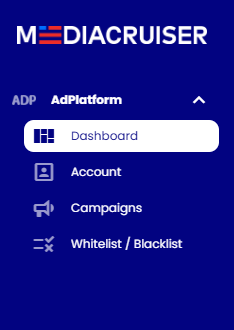
Dashboard: Return to the main overview for performance metrics and quick actions.
Campaigns: Access a full list of active and paused campaigns, with options to edit, pause, or analyze performance in detail.
Account:
- Profile: Update your company details, contact information, or account preferences.
- View Users: Manage team roles (e.g., Account User, Account Admin) and set permissions for collaborative campaign management.
- Payments: Add funds, review Billing History, or update payment methods to keep campaigns running smoothly.
- Notifications: Configure alerts for critical updates, such as low balance, campaign status changes, or performance thresholds, to stay proactive.
- Change Log: Track account activity (e.g., campaign updates, user additions) for transparency and audit purposes.
- Tip: Set up Notifications for low balance alerts to avoid campaign interruptions, and regularly check the Change Log to monitor team activity.
Whitelist / Blacklist: Access a full list of Whitelist / Blacklist groups. Edit, create and review campaigns and sources for each group