Effective budget management is crucial for optimizing your advertising campaigns on the MediaCruiser AdPlatform. By setting clear limits and strategic bids, you can control costs, maximize reach, and achieve your campaign goals. Below, we outline the key budgeting tools—daily budget limit, lifetime budget limit, hourly click cap, and bid—along with practical tips for using them effectively.
Lifetime Campaign Budget Limit
The lifetime budget limit sets a total spending cap for the entire duration of a campaign. Once this limit is reached, the campaign automatically pauses, protecting you from unexpected costs.
- How to Set: In the Budget and Pricing >Limits section, select Lifetime Campaign Budget and specify the total amount (e.g., $500). Leave blank for campaigns with no upper limit.
- Why It Matters: This feature is perfect for time-bound promotions or campaigns with fixed budgets, ensuring you stay within your financial plan while maximizing results.
- Tip: Use a lifetime budget for short-term campaigns (e.g., 7–14 days) to test specific offers, then analyze results before allocating more funds.

Daily Budget Limit
The daily budget limit caps the amount you spend on a campaign each day, resetting at midnight based on UTC time zone. This feature helps you pace your spending, making it ideal for testing new campaigns or maintaining consistent daily exposure.
- How to Set: On the campaign creation or edit page, under Budget and Pricing >Limits, enter your desired daily spend (e.g., $50). You can adjust this anytime to scale up or down based on performance.
- Why It Matters: A daily budget prevents overspending during high-traffic periods and ensures your funds last through the day, especially for campaigns targeting peak audience hours.
- Tip: Start with a modest daily budget (e.g., $20–$50) for new campaigns to gather performance data, then increase for high-performing campaigns to capture more traffic.

Hourly Click Cap
The hourly click cap restricts the number of clicks your campaign receives per hour, helping you control traffic flow and prevent rapid budget depletion during high-demand periods.
- How to Set: Under Budget and Pricing >Limits in the campaign settings, enter the maximum clicks per hour (e.g., 1000). The cap resets every hour, allowing steady traffic distribution.
- Why It Matters: This tool is useful for pacing campaigns, especially when targeting competitive markets or testing new traffic sources, as it avoids exhausting your budget too quickly.
- Tip: Set a conservative cap (e.g., 50–100 clicks) for initial tests to monitor source quality, then adjust based on conversion rates and traffic performance.

Bid
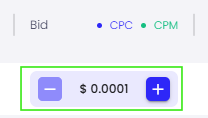
Your bid determines how competitive your campaign is in securing traffic. MediaCruiser AdPlatform supports cost-per-click (CPC) and cost-per-thousand-impressions (CPM) bidding models, allowing you to prioritize clicks or impressions based on your goals.
- How to Set: In the Budget and Pricing section, enter your CPC bid (e.g., $0.05 per click) or CPM bid (e.g., $0.02 per thousand impressions). Higher bids increase your chances of capturing premium traffic. Bids can also be quickly adjusted from the Dashboard or Campaign pages.
- Why It Matters: Bids directly impact your campaign’s visibility. A higher CPC can secure more clicks from high-quality sources, while a lower CPM suits brand-awareness campaigns.
- Tip: Start with a conservative CPC ($0.05–$0.10) to test traffic sources, then incrementally increase bids for sources driving strong conversions. Monitor bid updates, as changes take effect within 10–15 minutes.